NopCommerce makes it possible to translate your store into multiple languages - and that can make a real difference in how customers experience your site. When shoppers see product information and interface text in their own language, it feels more familiar, builds trust, and makes buying easier. This applies whether you sell worldwide or operate in a region with more than one official language.
What Can You Localize in nopCommerce?
nopCommerce allows you to translate three main areas:
1. Catalog content:
Products, categories, manufacturers, product tags, and all types of product-related attributes.
2. Store content:
Topics (pages), blog posts, news items, polls, and message templates (such as order confirmation emails).
3. Static strings (string resources):
These are short bits of text used throughout the interface—often added by the core system or plugins.
Each group is translated in a slightly different way. Here’s how it works.
Catalog and Content
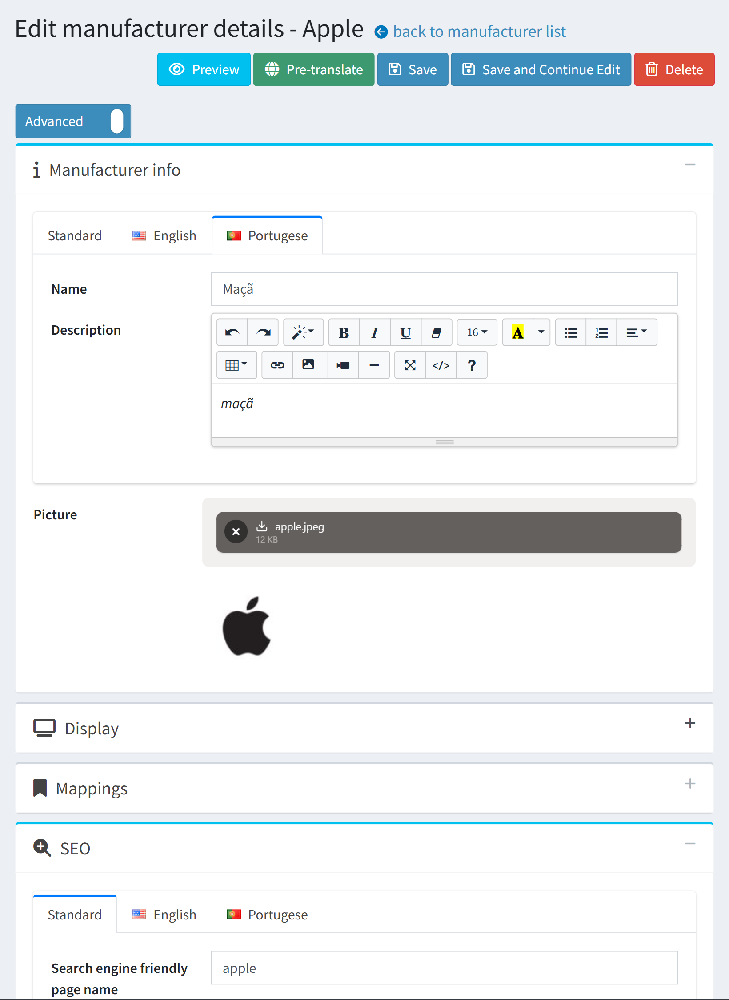
Start by adding a new language in the admin panel. Once a language is added, all catalog items—products, categories, and so on—will show separate tabs for each language. You simply enter the translations in those tabs.
Topics (pages) and message templates follow the same pattern.
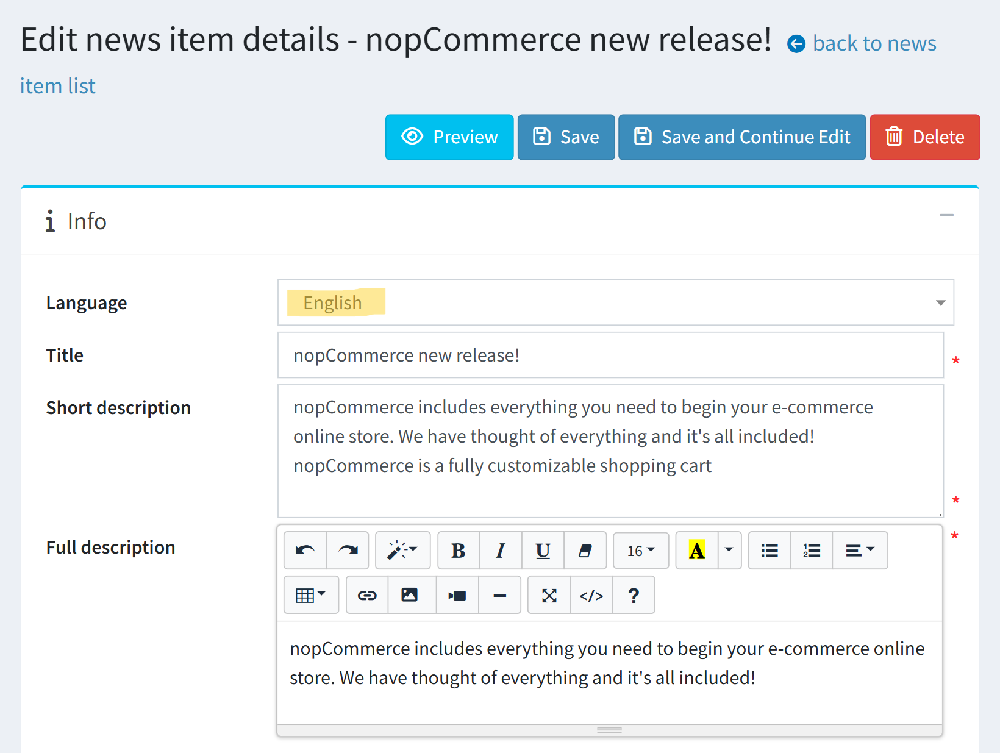
Blog posts, news items, and polls work differently: each entry is tied to a single language. If you want the same post to appear in two languages, you need to create two versions—one per language.
String Resources
String resources control the small pieces of interface text, like button labels or system messages. You can translate them on the language editing page in the admin area. nopCommerce also offers official language packs that fill in many common translations automatically.
One thing to keep in mind: if you manually change a string resource and later import an updated language pack, your changes may be overwritten. I cover how to avoid this in another post.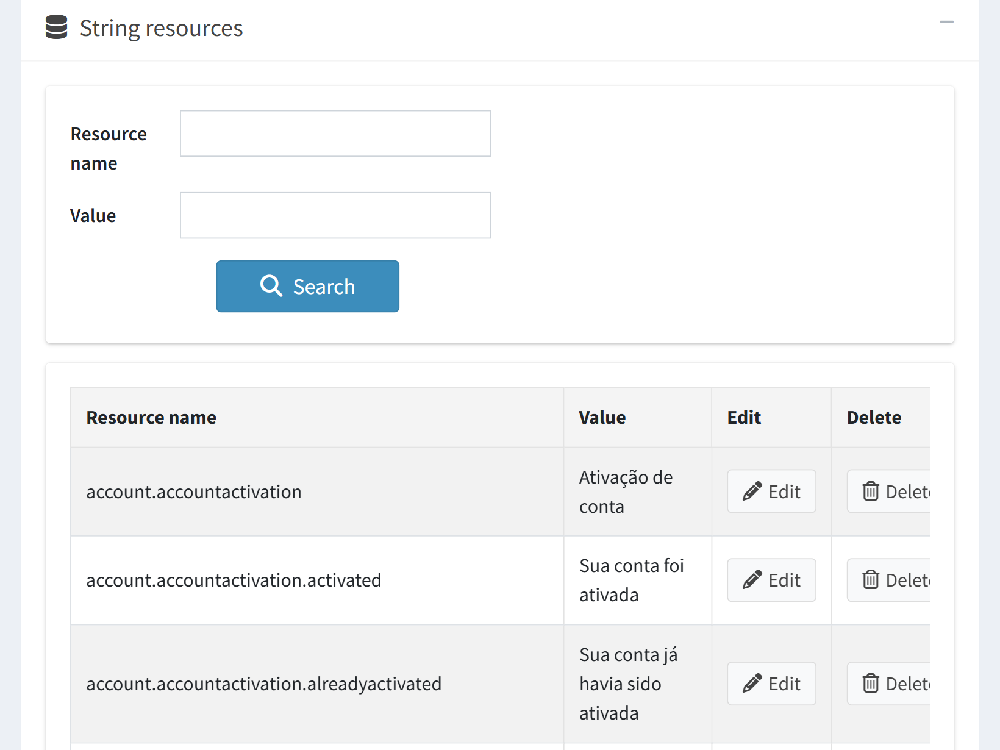
How Merchants Usually Translate Their Stores
Many store owners translate their content manually in the admin panel—this works well for smaller catalogs.
Others prefer to export catalog data to XML, translate it through services like Google Translate or DeepL, and re-import it. However, nopCommerce doesn’t currently support exporting items like blog posts or news articles on its own, so merchants often use third-party plugins for that.
New Feature: AI-Powered Translations in nopCommerce 4.90 (Fall 2025)
nopCommerce 4.90 includes built-in AI translation. Your store can connect directly to Google Translate API or DeepL (you’ll need accounts for these services).

The new Pretranslate feature currently supports:
-
Products
-
Categories
-
Manufacturers
It also translates the “Search engine friendly page name,” but no other SEO fields.
It does not translate:
-
Product tags
-
Specification attribute groups or options
-
Checkout attributes
-
Message templates
-
News, blog posts, or polls
A helpful tip: Save your changes before and after using Pretranslate. Unsaved fields won’t be translated, and translated fields won’t save automatically. Also, running translations multiple times uses more API credits, so it’s best to plan your workflow to avoid unnecessary costs.
Looking for More Complete Translation Support?
The new pre-translation feature is a good start, but there’s still room to grow. If you’re not ready to upgrade to nopCommerce 4.90 - or if you need more complete translation coverage - you can use my EasyTranslate plugin.
EasyTranslate can translate everything in nopCommerce that supports localization: products, categories, manufacturers, all attribute types, product tags, topics, news, blog posts, polls, message templates, and string resources. It also highlights anything that hasn’t been translated yet, so nothing gets missed.